AI Software Suite(Linux)
AI Software Suite
AI Software Suite offers breakthrough AI accelerators and Vision processors uniquely designed to accelerate embedded deep learning applications on edge devices.
Qualcomm devices are accompanied by a comprehensive AI SDK that enables the compilation of deep learning models and the implementation of AI applications in production environments. The model build environment seamlessly integrates with common ML frameworks to allow smooth and easy integration in existing development ecosystems. The runtime environment enables integration and deployment in host processors, such as ARM based products, when utilizing QCS6490 vision processor.
SNPE
SNPE is a SDK designed to streamline the development and deployment of edge applications demanding high AI performance. This reference application software package empowers users to expedite their time-to-market by minimizing the development workload. SNPE encompasses a user-friendly set of fully operational application examples based on GStreamer, featuring pipeline elements and pre-trained AI tasks. These examples leverage advanced Deep Neural Networks, highlighting Qualcomm's AI processors' top-notch throughput and power efficiency. Furthermore, SNPE serves as a demonstration of Qualcomm's system integration capabilities, showcasing specific use cases on predefined software and hardware platforms. Utilizing SNPE simplifies integration with Qualcomm's runtime software stack and offers a starting point for users to fine-tune their applications. By demonstrating Qualcomm's system integration scenarios on both predefined software and hardware platforms, it can be used for evaluations, reference code, and demos. This approach effectively accelerates time to market, streamlines integration with Qualcomm's runtime software stack, and provides customers with a foundation to fine-tune their applications.
Application
To Start EdgeAISDK
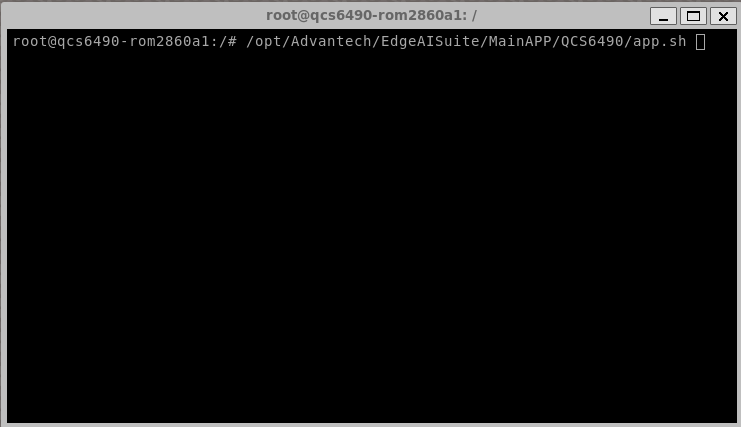
- Step 1 : open terminal
- Step 2 : execute script:
/opt/Advantech/EdgeAISuite/MainAPP/QCS6490/app.sh
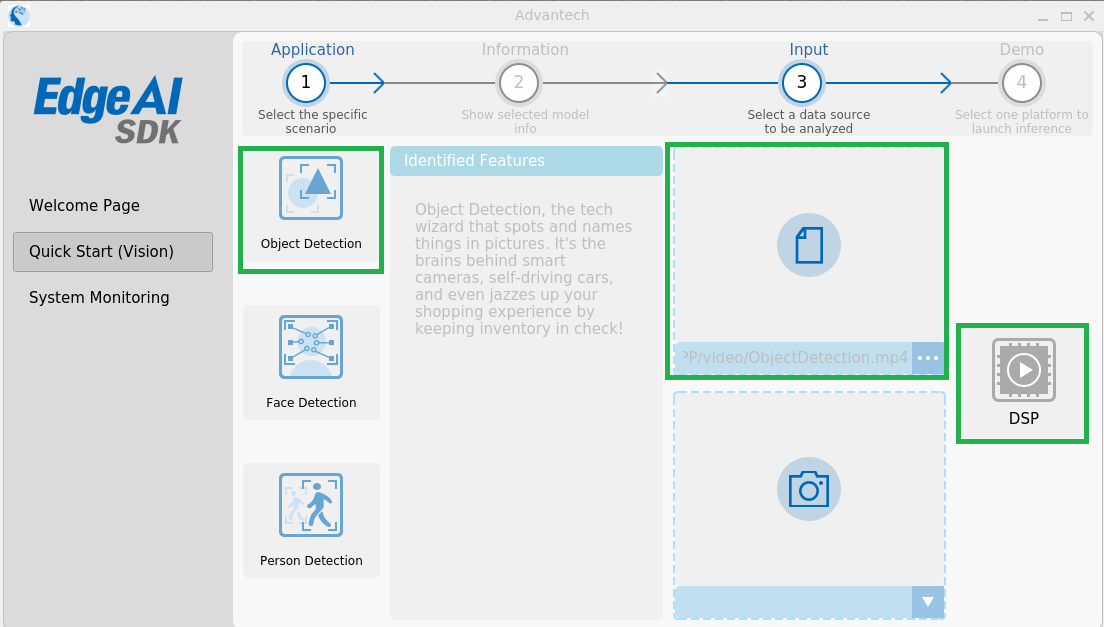
Quick Start / Application / Video or WebCam / DSP
| Application | Model |
|---|---|
| Object Detection | yolov5x (quantized) |
| Face Detection | yolov5n-face (quantized) |
| Person Detection | yolov5x (quantized) |
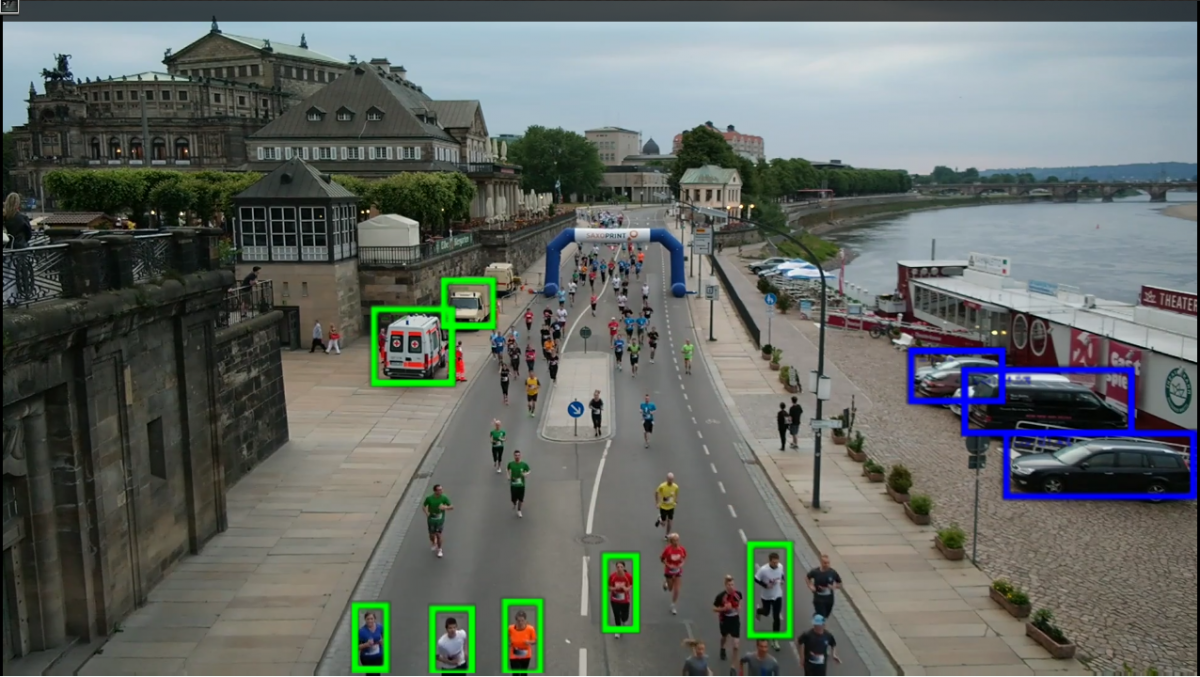
- Step 1 : Go to the "Quick start VisionAI" page as shown below
- Step 2 : Choose one application
Close AI Inference Application
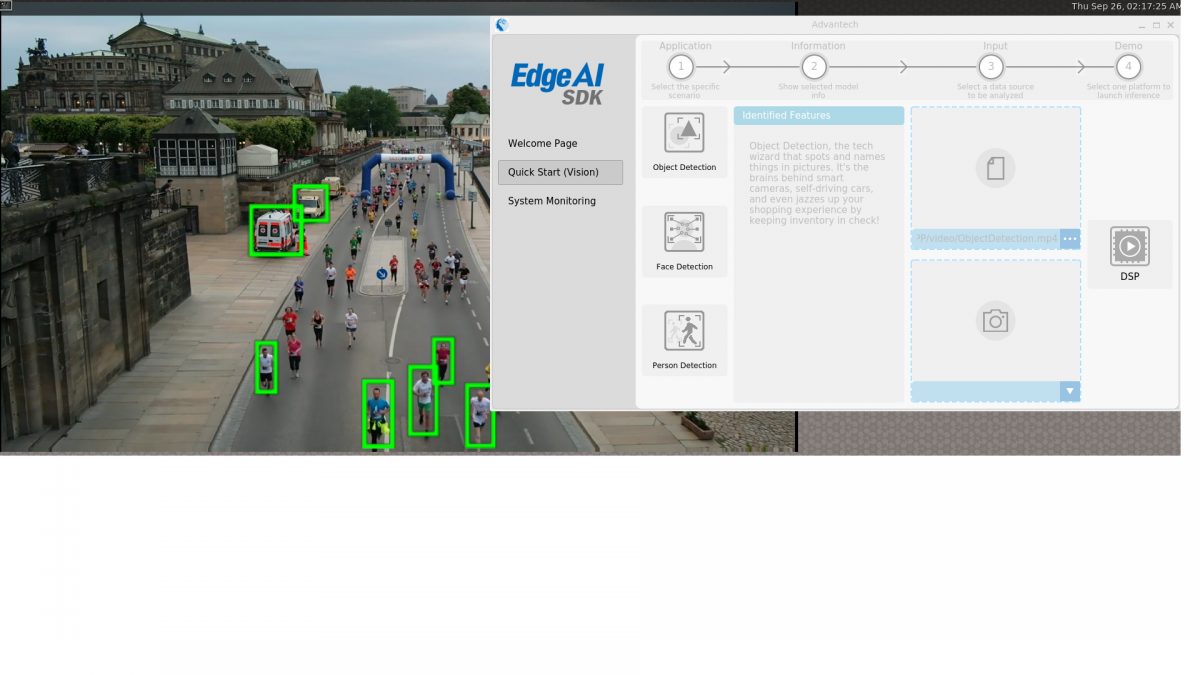
- Step 1 : EdgeAISDK (GUI) shows in the top
- Step 2 : Press Key "Esc"
Benchmark
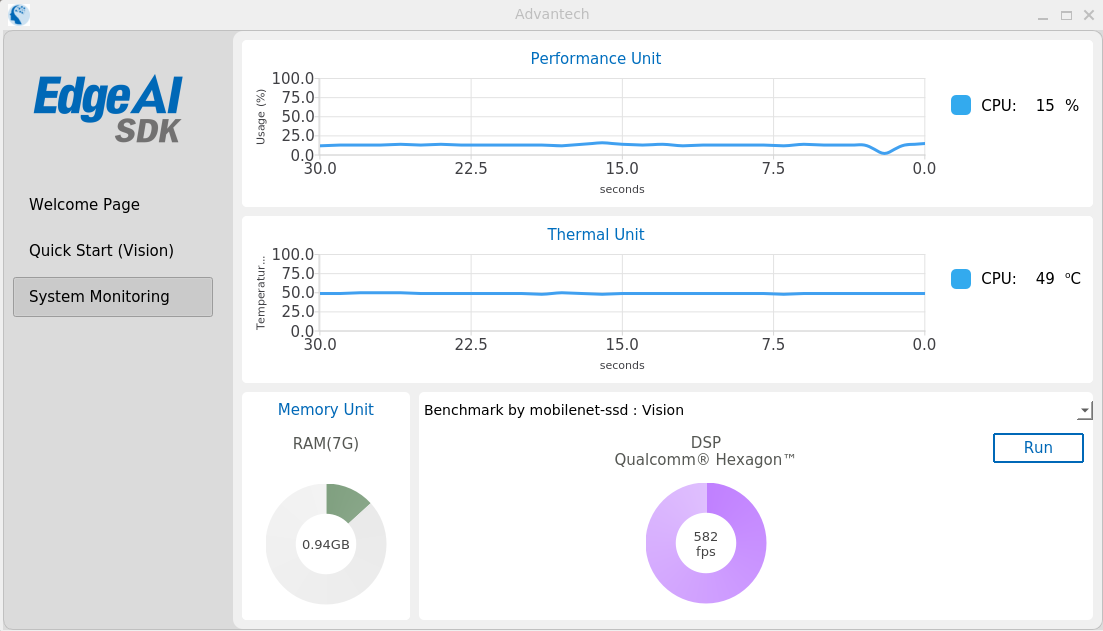
It can quickly evaluate computing performance for the DSP, and provides runtime results inferenced with ML.
| Device | Command | FPS |
|---|---|---|
| Run on DSP | snpe-throughput-net-run --duration 5 --perf_profile burst --use_dsp --userbuffer_auto --container /opt/Advantech/EdgeAISuite/QCS6490/VisionAI/model/ssd-soc-quant.dlc | 582 |
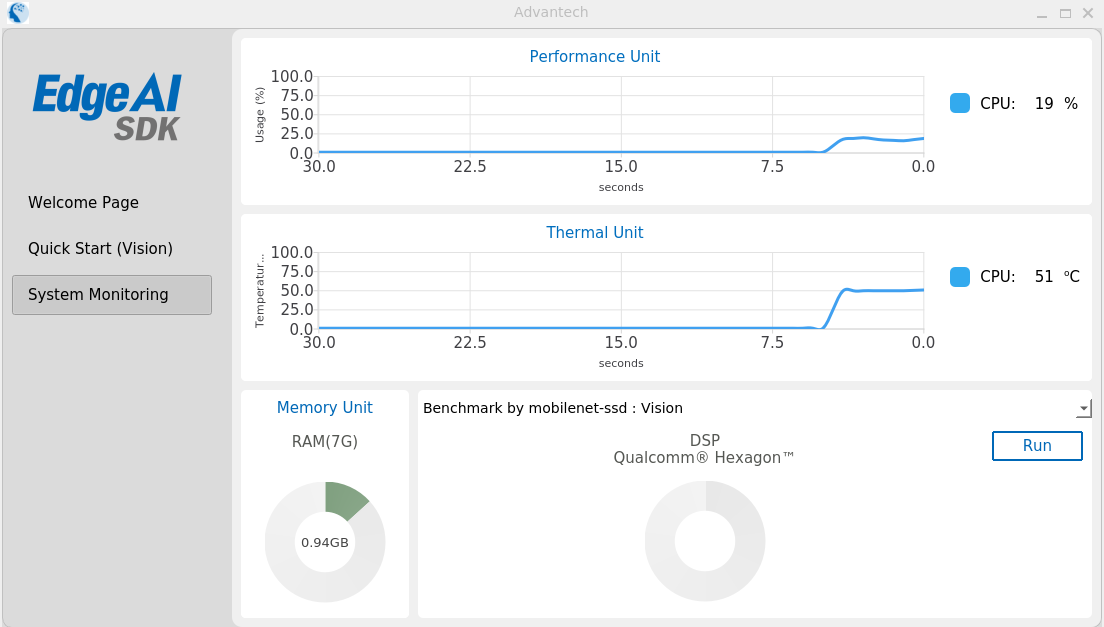
System Monitoring
| Usage | Temperature |
|---|---|
| CPU (only) | CPU (only) |
Limitation
- (Ignore) The video playback interface cannot drag the position and close the video option.
- (Ignore) The number of cameras displayed in the Edge AI SDK is inconsistent with the actual number of cameras plugged in through the USB hub.
- (Ignore) Executing the app.sh process displays two error messages: Locale "C" detected, character encoding "ANSI_X3.4-1968" and QIODevice::read (QFile, "...EAS.ini"): The device is not open.
- The LEARN MORE link in the Welcome Page is not supported by Yocto.