NVIDIA GPU Card
CUDA
The NVIDIA® CUDA® Toolkit provides a development environment for creating high-performance, GPU-accelerated applications. With it, you can develop, optimize, and deploy your applications on GPU-accelerated embedded systems, desktop workstations, enterprise data centers, cloud-based platforms, and supercomputers. The toolkit includes GPU-accelerated libraries, debugging and optimization tools, a C/C++ compiler, and a runtime library.
More Info refer to CUDA Toolkit
DeepStream
DeepStream is a complete streaming analytics toolkit based on GStreamer for AI-based multi-sensor processing, video, audio, and image understanding. It’s ideal for vision AI developers, software partners, startups, and OEMs building IVA apps and services. Developers can now create stream processing pipelines that incorporate neural networks and other complex processing tasks such as tracking, video encoding/decoding, and video rendering. DeepStream pipelines enable real-time analytics on video, image, and ...
DeepStream’s multi-platform support gives you a faster, easier way to develop vision AI applications and services. You can even deploy them on-premises, on the edge, and in the cloud with the click of a button.
More Info refer to DeepStream SDK
DeepStream 6.4 Prerequisites:
Includes the following components:
- GStreamer 1.20.3
- Nvidia Driver R535.104.12
- CUDA 12.2
- TensorRT 8.6.1.6
TensorRT
TensorRT is a high performance deep learning inference runtime for image classification, segmentation, and object detection neural networks. TensorRT is built on CUDA, NVIDIA’s parallel programming model, and enables you to optimize inference for all deep learning frameworks. It includes a deep learning inference optimizer and runtime that delivers low latency and high-throughput for deep learning inference applications.
Application
Quick Start (Vision) / Application / Video or WebCam / dGPU
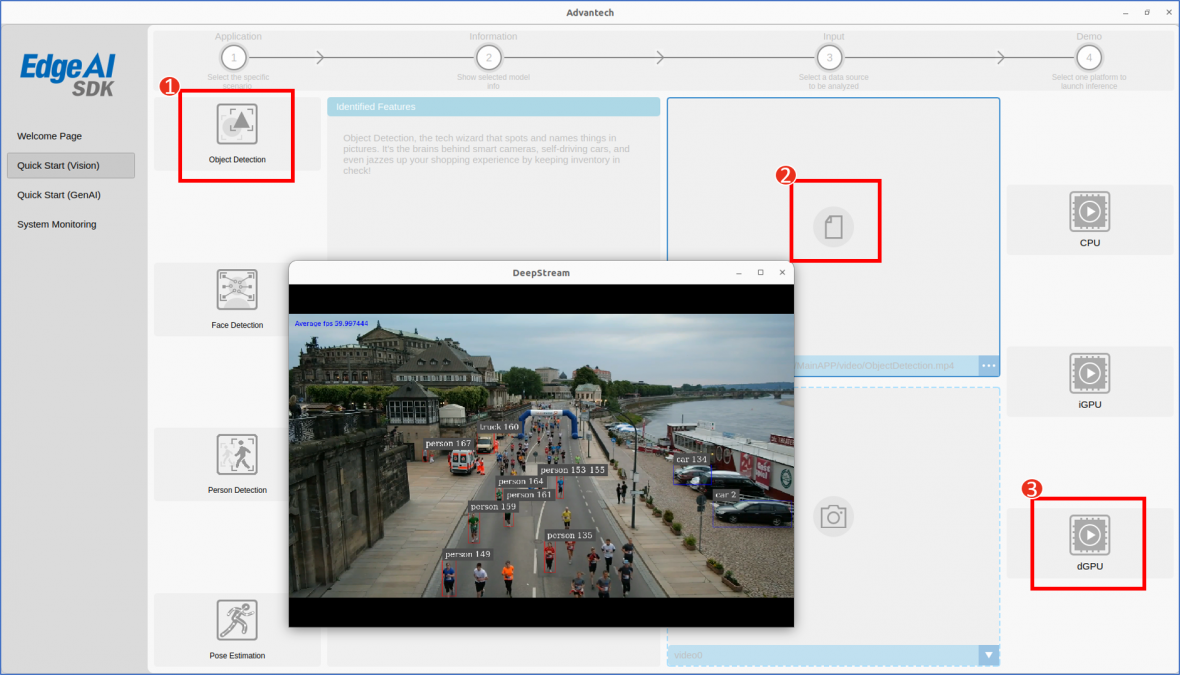
| Application | Model |
|---|---|
| Object Detection | yolov3.weights |
| Person Detection | sample_ssd_relu6.uff |
| Face Detection | facenet.etlt |
| Pose Estimation | model.etlt |
Benchmark
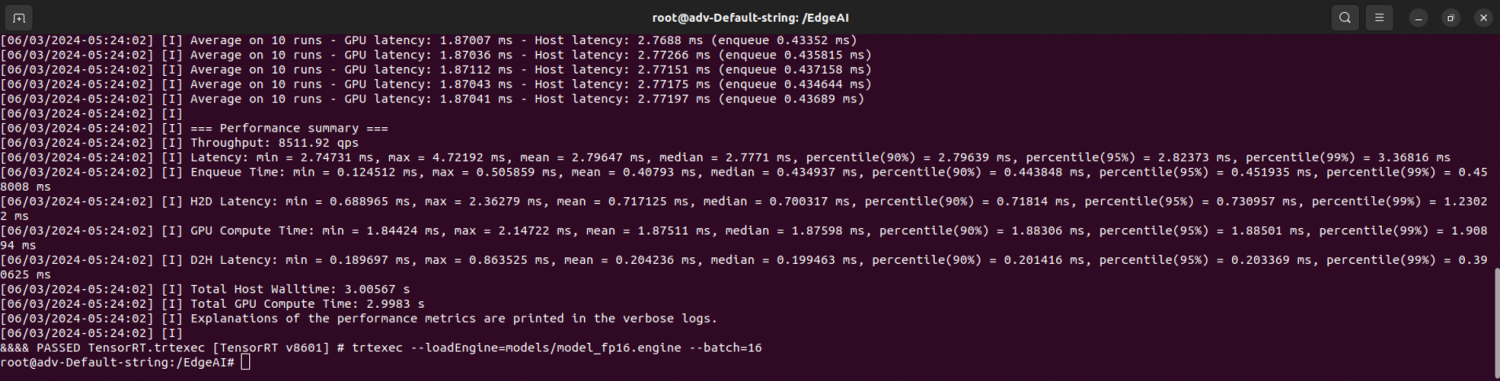
In order to measure FPS, power and latency of the RTX-A5000 you can use the command trtexec. For more information please refer to the trtexec documentation.
RTX-A5000 Benchmark
trtexec --loadEngine=models/model_fp16.engine --batch=16
Edge AI SDK / Benchmark
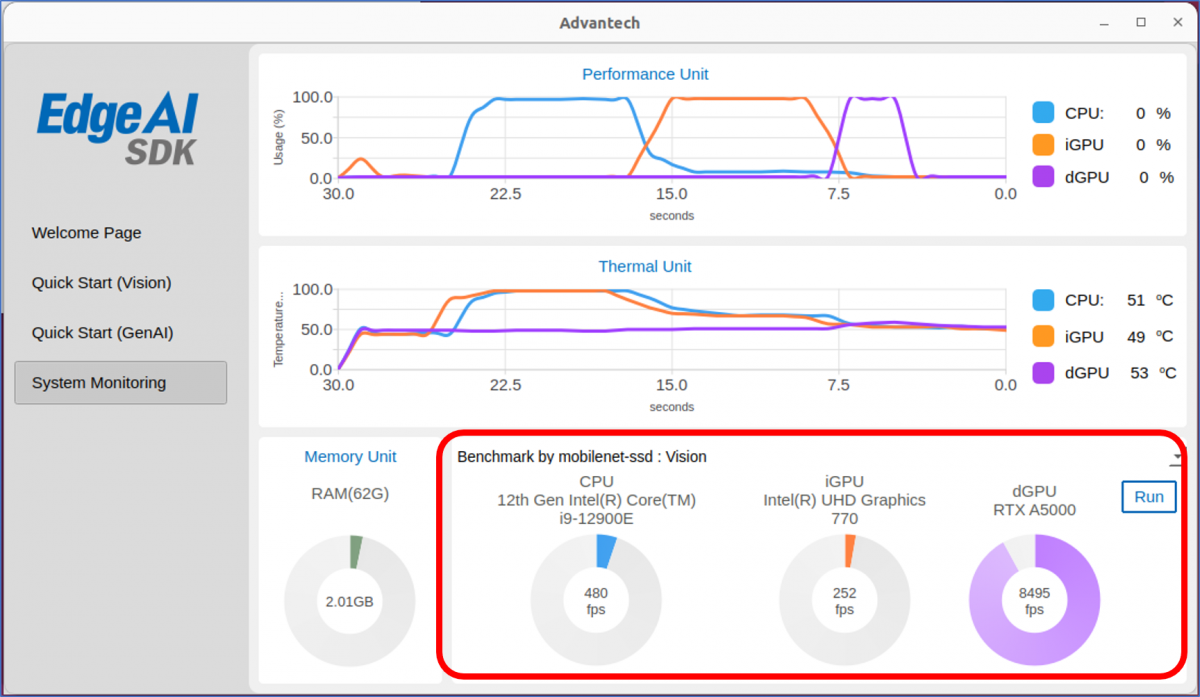
Evaluate the RTX-A5000 performance with Edge AI SDK.
NVIDIA System Management Interface
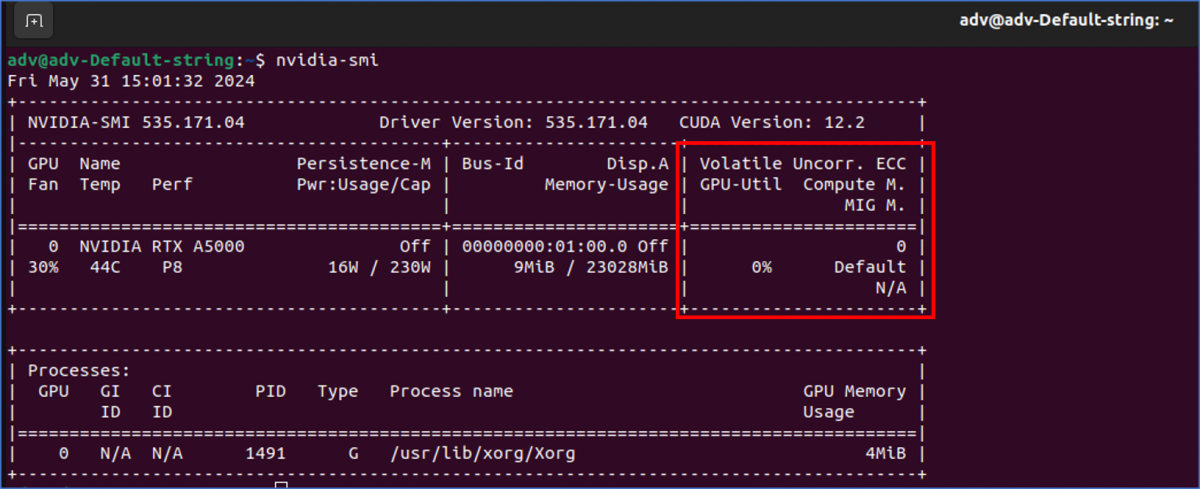
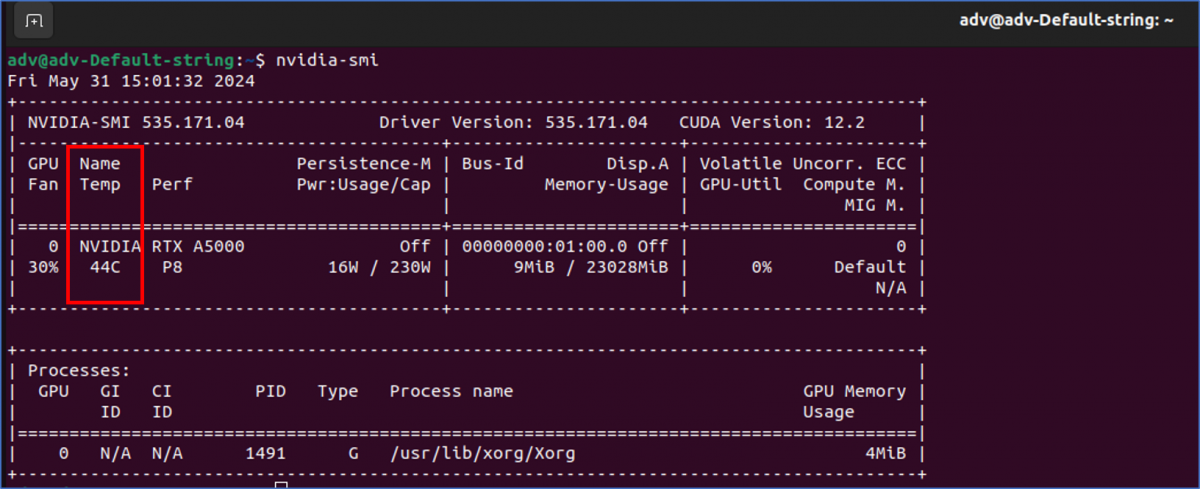
The NVIDIA System Management Interface (nvidia-smi) is a command line utility, based on top of the NVIDIA Management Library (NVML), intended to aid in the management and monitoring of NVIDIA GPU devices.
This utility allows administrators to query GPU device state and with the appropriate privileges, permits administrators to modify GPU device state.
nvidia-smi
RTX-A5000 Utilization
nvidia-smi
RTX-A5000 Temperature
nvidia-smi
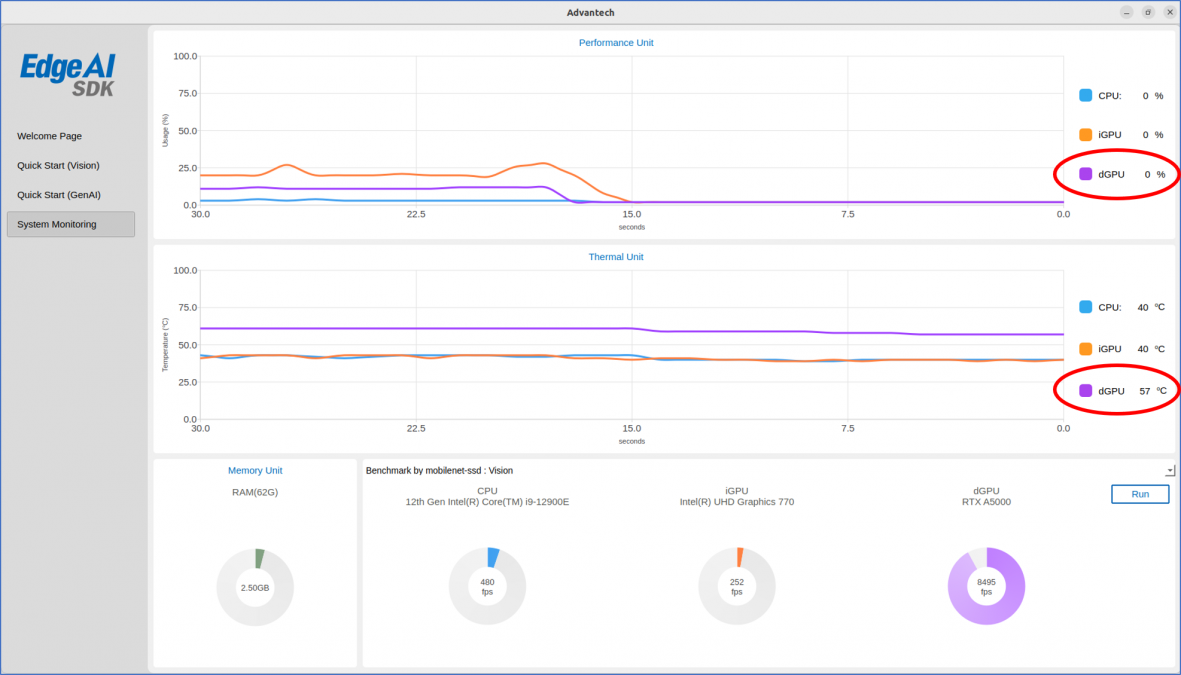
Edge AI SDK / Monitoring